
Traditional expense entry
Enter a total and choose a split
- 1Type the total amount.
- 2Select who participated.
- 3Split equally, by percentage, or with custom amounts.
- 4Track the resulting balance.
SplitSlip is a complete alternative for dinners, trips, roommates, and families. Core tracking and splits are free forever. Optional AI receipt scanning speeds up itemized bills. You settle money outside the app.


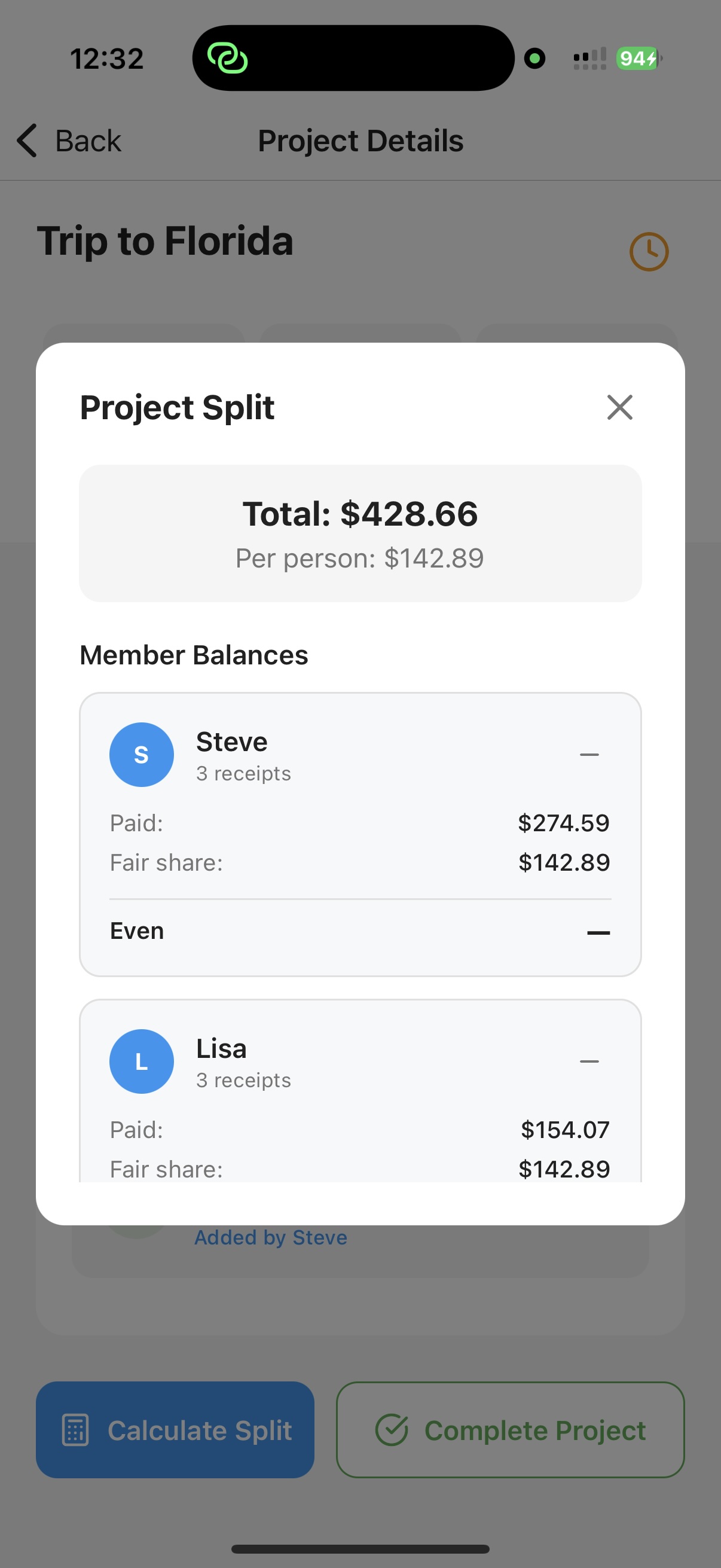
Keep the original receipt connected to the expense and the people who shared it.
SplitSlip is a modern Splitwise-style alternative for people who want a complete expense-splitting app: add bills by hand, split with friends and family, and keep everything in the cloud — free forever. Optional AI receipt scanning can itemize a bill so you assign what each person had. SplitSlip shows who owes what; you settle money outside the app.
Splitwise remains a capable shared-expense ledger. The better choice depends on whether you want a free-forever core with optional AI scanning, or a traditional ledger-first workflow. SplitSlip is independent and is not affiliated with Splitwise.
The key difference
A total-only split works when everyone shares equally. Real receipts are usually more complicated. One person ordered wine, another skipped dessert, and two people shared a starter. SplitSlip is designed for that reality.
Side-by-side
Both products help groups manage shared expenses. Their strongest use cases are different.
| Feature | SplitSlip | Splitwise |
|---|---|---|
| Primary workflow | Receipt-first: scan, itemize, assign, calculate | Ledger-first: add expenses, choose splits, track balances |
| Core pricing | Free forever for manual expenses, splits, invites, and cloud | Free plan, with Pro for extra features |
| AI receipt scanning | Optional: 50 free scans, then scan packs in the stores | Available as part of Splitwise Pro |
| Item-level allocation | Assign individual receipt items after a scan or manual entry | Receipt itemization is offered with Pro |
| Groups and use cases | Friends, families, trips, events, and projects | Friends, families, housemates, and trips |
| Expense history | Receipts, purchases, balances, and statistics | Expenses, balances, categories, and group history |
| How you settle | Shows who owes what and who paid; you settle money outside the app | Shared balances; groups settle in their own way |
| Platforms | iOS, Android, and web | iOS, Android, and web |
| Best for | People who want less manual entry and fair item-by-item splitting | People who primarily want a mature shared-debt ledger |
Product features and pricing can change. Comparison reflects publicly available product information reviewed in July 2026. Splitwise is a trademark of its respective owner. SplitSlip is independent and is not affiliated with or endorsed by Splitwise.
SplitSlip is especially useful when an equal split would not be accurate.
Assign meals, drinks, shared dishes, tax, and tips without retyping the full receipt.
Keep accommodation, groceries, transport, activities, and restaurant spending in one project.
Separate personal items from shared household purchases on the same receipt.
Organize purchases for cabin weekends, parties, clubs, teams, and collaborative projects.
Why people switch
Shared expense apps should remove work, not create more data entry. SplitSlip keeps the receipt and the split together.
Capture the merchant, date, total, and item details from the receipt workflow.
Assign individual items or share selected items between several people.
The receipt stays connected to the expense, making the numbers easier to understand later.
Use dedicated areas for friends, families, projects, receipts, and spending statistics.
The best expense splitting app depends on how your group spends money. If most expenses are simple totals that everyone shares equally, a traditional ledger can work well. If your group frequently splits restaurant, grocery, or household receipts item by item, a receipt-first app can save substantial time and reduce disagreements.
Manual expense entry is quick for one or two purchases, but it becomes repetitive during a trip or a shared household month. A receipt scanner can preserve the original purchase information and reduce the amount of typing required.
Fair does not always mean equal. The most useful alternative should handle cases where different people bought different items, some items were shared, or one person should cover a larger portion.
A clear expense history matters just as much as the final balance. Keeping the receipt, items, participants, payer, and calculated shares together makes it easier for the entire group to trust the result.
Some users only need a friend-to-friend ledger. Others need separate spaces for vacations, families, roommates, events, clubs, or projects. SplitSlip is designed to organize these different contexts while maintaining a shared receipt and balance history.
SplitSlip is a complete expense-splitting app: free forever for adding expenses by hand, splitting with a group, inviting friends, and keeping everything in the cloud. Optional AI receipt scanning can capture merchant, total, and line items so you assign what each person had. SplitSlip shows who owes what; you settle money outside the app. Friends install SplitSlip, sign in, and join — there is no browser-only view without installing.
Explore more: receipt scanner app, split expenses with friends, and group expense tracker.
Common questions from people comparing SplitSlip and Splitwise.
SplitSlip is a modern Splitwise-style alternative: free forever for core tracking and splits, optional AI receipt scanning for itemized bills, and settle-up tracking while you pay outside the app.
Splitwise is primarily built as a shared expense ledger. SplitSlip puts the receipt at the center of the workflow: scan, review the items, assign them, and calculate the split.
Yes. SplitSlip is designed to capture receipt information and individual line items so groups can split real purchases more precisely.
Yes. You can use SplitSlip for vacations, roommates, couples, families, shared events, and projects.
Yes. SplitSlip calculates balances from the splits so everyone in the app can see who paid and who owes what. Friends install SplitSlip, sign in, and join. You settle money outside the app.
Yes. Core SplitSlip is free forever: add expenses by hand, split with your group, invite friends, and keep everything in the cloud. AI receipt scans are optional. You get 50 free scans, then you can buy scan packs in the App Store and Google Play.
SplitSlip shows what everyone owes and helps you track who paid. You settle money outside the app. SplitSlip is not a Vipps, card, or bank payment rail.
No. SplitSlip is an independent product from RebelLab AS and is not affiliated with or endorsed by Splitwise.
Free forever for core · AI scans optional
Use SplitSlip for your next dinner, vacation, shared household purchase, or group project. Settle money outside the app.